
Download Brushy APK – teeth brushing timer, oral hygiene, dental care, brushing timer, free Android app, daily routine, healthy smile, brush timer, dental health
Overview
Brushy is a free Android application designed to support proper oral hygiene through a simple, guided 2-minute brushing timer. Developed by Sven Eigenbrodt, the app aims to help users maintain consistent brushing habits by providing a structured approach to dental care. Its primary function is to ensure users brush for the recommended duration, which is essential for effective plaque removal and gum health. The app targets individuals seeking to improve their daily routine, particularly those who struggle with timing or technique during brushing.
Real-world usage scenarios include morning and evening routines, travel, or use in shared living spaces where brushing consistency may be compromised. The app does not require internet access, making it suitable for offline use. While the developer’s background is limited to the app’s name and release details, the straightforward design suggests a focus on usability and accessibility. The goal is to encourage better dental habits through minimal interaction and clear visual cues, helping users build long-term health routines.
Key Features & Capabilities
- 2-Minute Brushing Timer – The core function is a precise timer that runs for exactly two minutes, aligning with dental health recommendations for effective brushing.
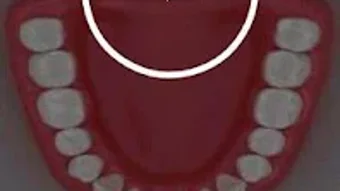
- Area Guidance – The app displays which section of the mouth should be brushed next, helping users cover all areas systematically.
- Simple Tap-to-Start Interface – Users begin the timer by tapping the screen once, and can stop it with a second tap, minimizing complexity.
- Settings, Help, and Exit Menu – A built-in menu provides access to configuration options, user guidance, and app termination, enhancing usability.
- Offline Functionality – The app operates without requiring an internet connection, ensuring availability anytime, anywhere.
These features are ideal for users who want to improve brushing technique and duration without relying on complex tools. The visual cues help prevent skipping areas, which is common during routine brushing. The minimal interface reduces cognitive load, making it suitable for children, adults, and individuals with varying levels of tech literacy.
User Interface, Workflow & Performance
Brushy features a clean, minimalist user interface focused on functionality. The main screen displays a visual guide for brushing areas, with clear transitions between sections. Navigation is intuitive, relying solely on tap gestures to start and stop the timer. The workflow is linear and efficient—open the app, tap to begin, follow the on-screen prompts, and stop when finished.
Performance observations are based on general software behavior patterns. The app is lightweight, with a file size of 1.9 MB, suggesting low resource consumption. The developer did not specify resource usage details, so CPU and RAM behavior remain unknown. Stability is expected to be high given the app’s simplicity and lack of background processes. No reported crashes or freezes were mentioned in the provided data.
Compatibility & System Requirements
Brushy is designed for Android devices and is compatible with the operating system as of its release date. The app version is 1.3, and it requires a device running Android with sufficient storage to accommodate its 1.9 MB installation size. The developer did not specify exact system requirements, such as minimum Android version or hardware specifications.
Platform compatibility information is limited to the provided details. Users should ensure their device supports Android applications and has enough free space for installation. No additional dependencies or permissions were mentioned. The app is distributed as an APK file, indicating it can be installed outside official app stores, which may require enabling unknown sources in device settings.
Pros and Cons
Pros
- Free to download and use with no in-app purchases
- Simple, intuitive interface suitable for all age groups
- Guides users through proper brushing technique with visual area prompts
- Operates offline, ideal for consistent use without connectivity
- Lightweight at only 1.9 MB, minimizing storage impact
Cons
- No customization options for timer duration or brushing intervals
- Limited to visual area guidance without audio cues or reminders
- No progress tracking or historical data for brushing sessions
- APK distribution may raise security concerns for cautious users
- Developer details beyond name are not publicly available
FAQ Section
Is Brushy available for iOS devices?
Based on the provided information, Brushy is currently only available for Android. No iOS version was mentioned.
Does Brushy require internet access to function?
No, the app operates entirely offline. It does not need an internet connection to run or provide its core timing and guidance features.
Can I customize the brushing duration in Brushy?
The app is designed around a fixed 2-minute timer. No options for adjusting the duration were provided.
Is Brushy safe to download and install?
As a free Android app developed by Sven Eigenbrodt, Brushy is intended to be secure. However, since it is distributed as an APK, users should ensure their device settings allow installation from unknown sources and verify the source before downloading.
How often should I use Brushy?
For optimal oral hygiene, it is recommended to use Brushy twice daily—once in the morning and once before bed—following standard dental care guidelines.
Final Thoughts
Brushy delivers a focused, no-frills solution for improving daily brushing habits. Its simplicity, lightweight design, and offline functionality make it a practical tool for maintaining oral health. While it lacks advanced features like progress tracking or customizable timers, it excels in its core purpose: guiding users through a complete 2-minute brushing session with visual cues. The app is particularly beneficial for individuals who want to establish or reinforce healthy routines without complexity.
Given its free status and minimal system impact, Brushy is an accessible choice for families, students, and anyone committed to better dental care. It’s a small but meaningful addition to a health-conscious lifestyle. For users seeking a reliable, straightforward brushing timer, this app stands out in its category.
Download Brushy now







